Scenario-based learning platform · 2022 · Client work
A kids’ course platform paired with DIY kits, from the first requirements meeting to launch
A children’s education brand pairs DIY kits with video courses: open the box, enter a code, and the lesson starts. I built the site, memberships, payments and admin panel, and it launched in 2022.
- Problem
- A children’s education brand had kits and characters, but no website that turned “buy the box, build the project, watch the course” into one flow.
- Approach
- I joined at the first requirements meeting, then designed and built the platform: redemption codes that unlock courses, seven-step lessons, a learning assessment, and batch code generation in the admin panel.
- Result
- A complete platform launched in 2022, with the second phase finished that June.
The brand already had a teaching concept, a cast of characters and physical kits, but no system. It supplied the images, characters and videos; I did the interface design, memberships, payments and the admin panel.
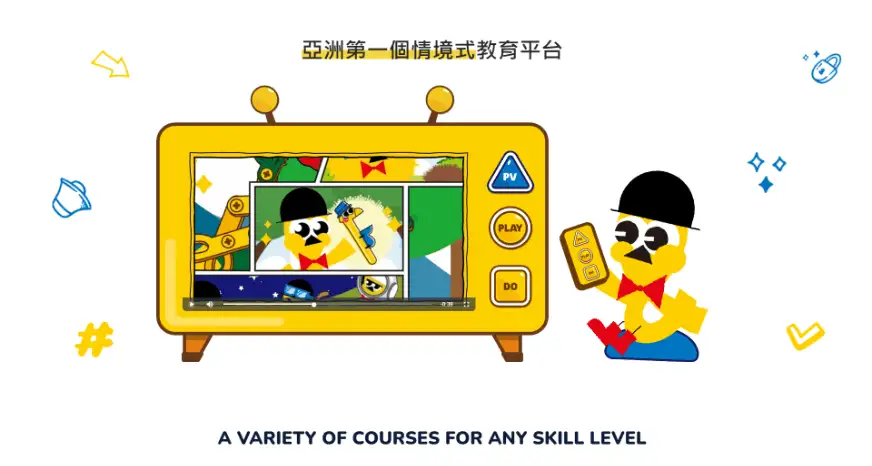
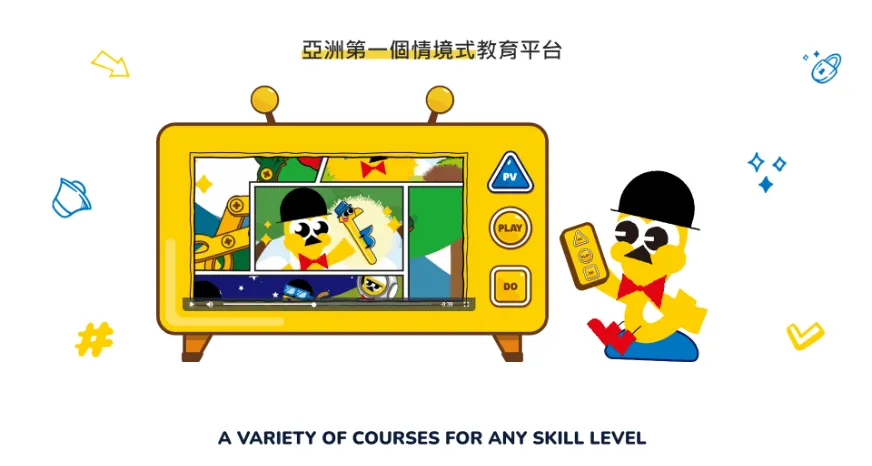 The homepage is a TV: the PV, PLAY and DO buttons each play one video, so kids need no instructions to see what they can do here.
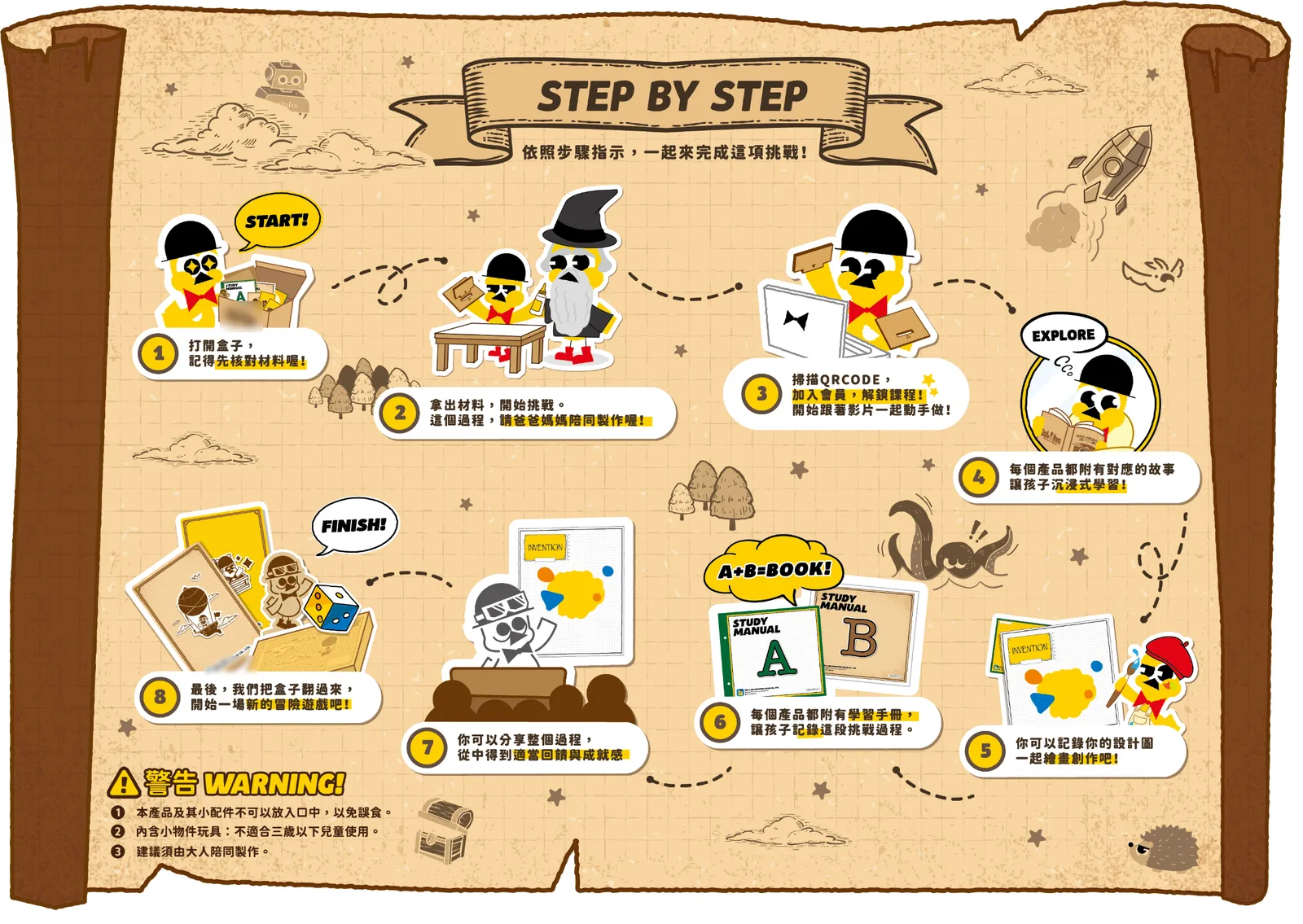 The brand’s own step guide: open the box, build, then in step 3 scan the QR code, sign up and enter the code to unlock the course.
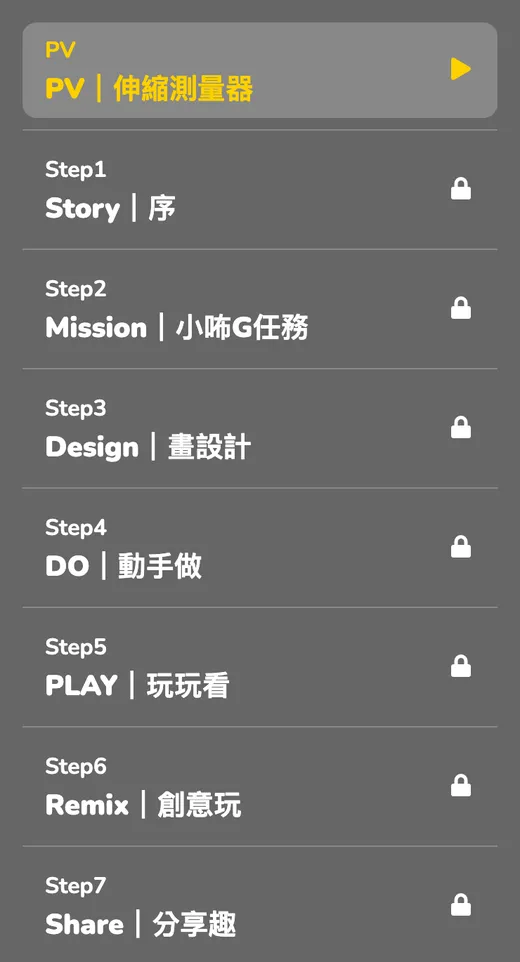 In the second phase (June 2022), each course went from three videos to seven steps. Each step can be open to everyone, unlocked by purchase or redemption, or unlocked after the learning assessment.
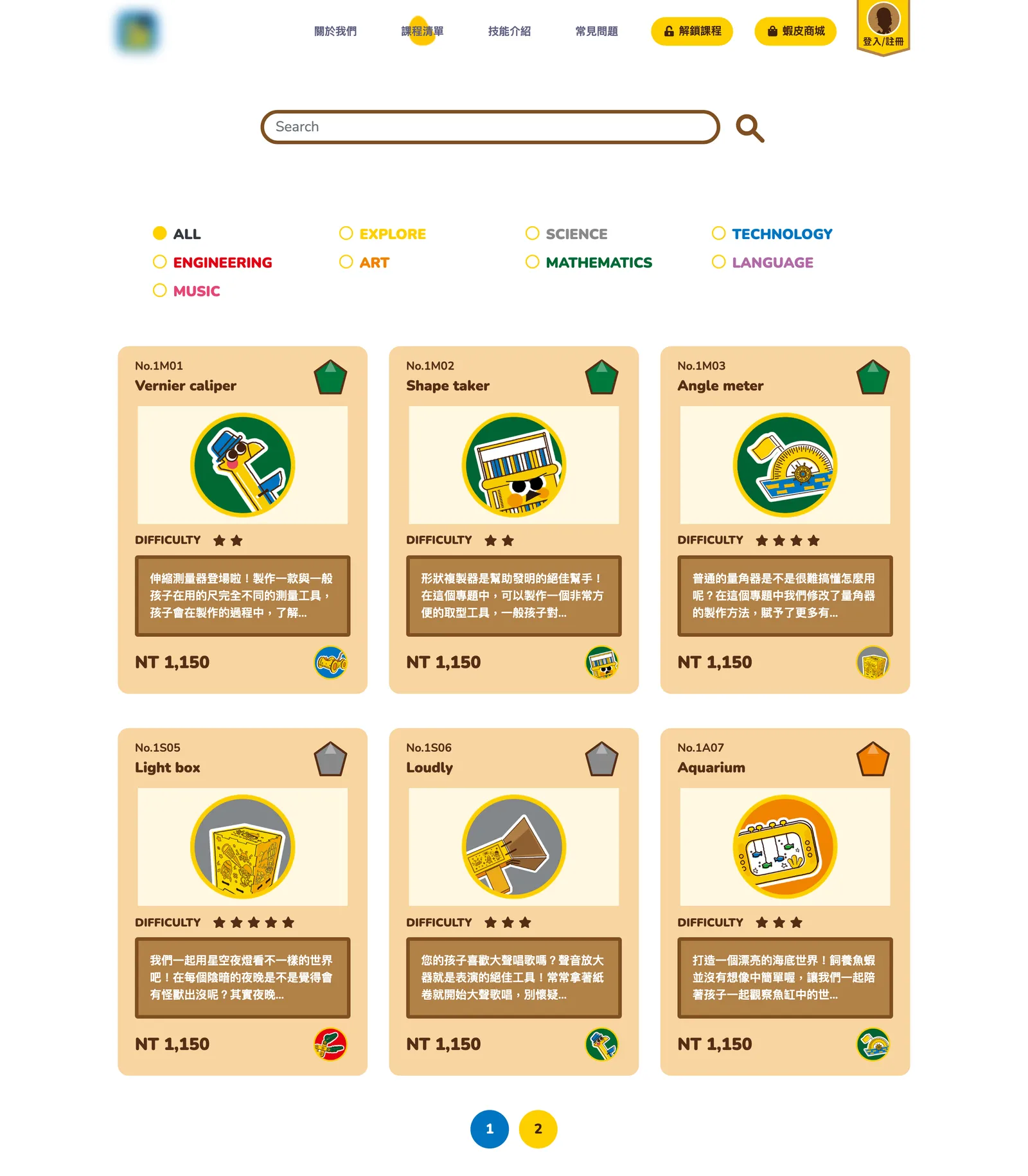 The course list (sample data): search, filters for the eight subject areas, and cards showing difficulty, description and price.
There are two ways to buy. The platform launched with built-in checkout (NewebPay, plus coupon codes); from the second phase, the brand’s Buy button can link to its Shopee store instead, while redemption and the courses stay on the platform.
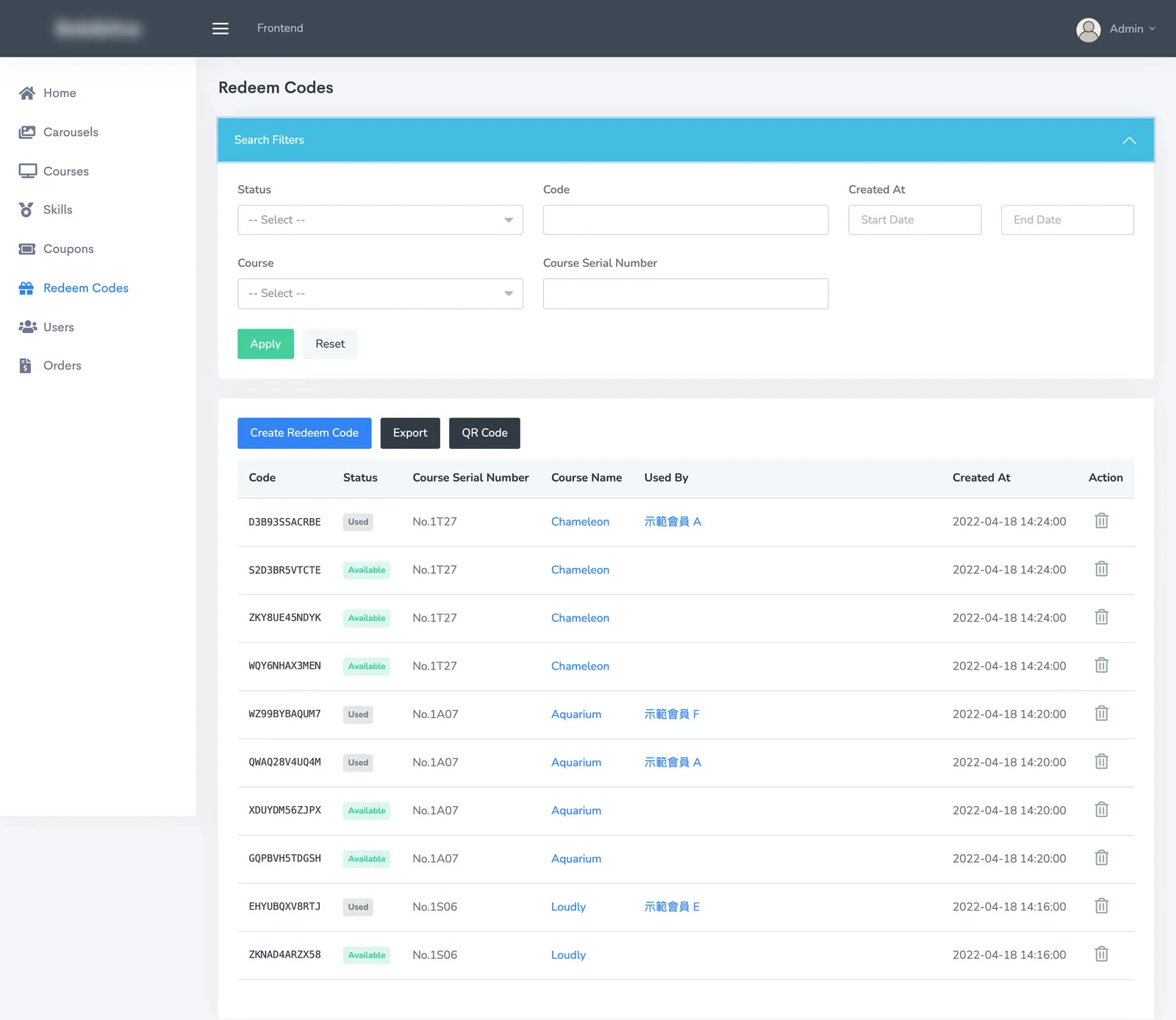 The redemption code page in the admin panel (sample data): pick a course and generate a batch of codes, each with a QR code; export the list as CSV, and see which member used each code.
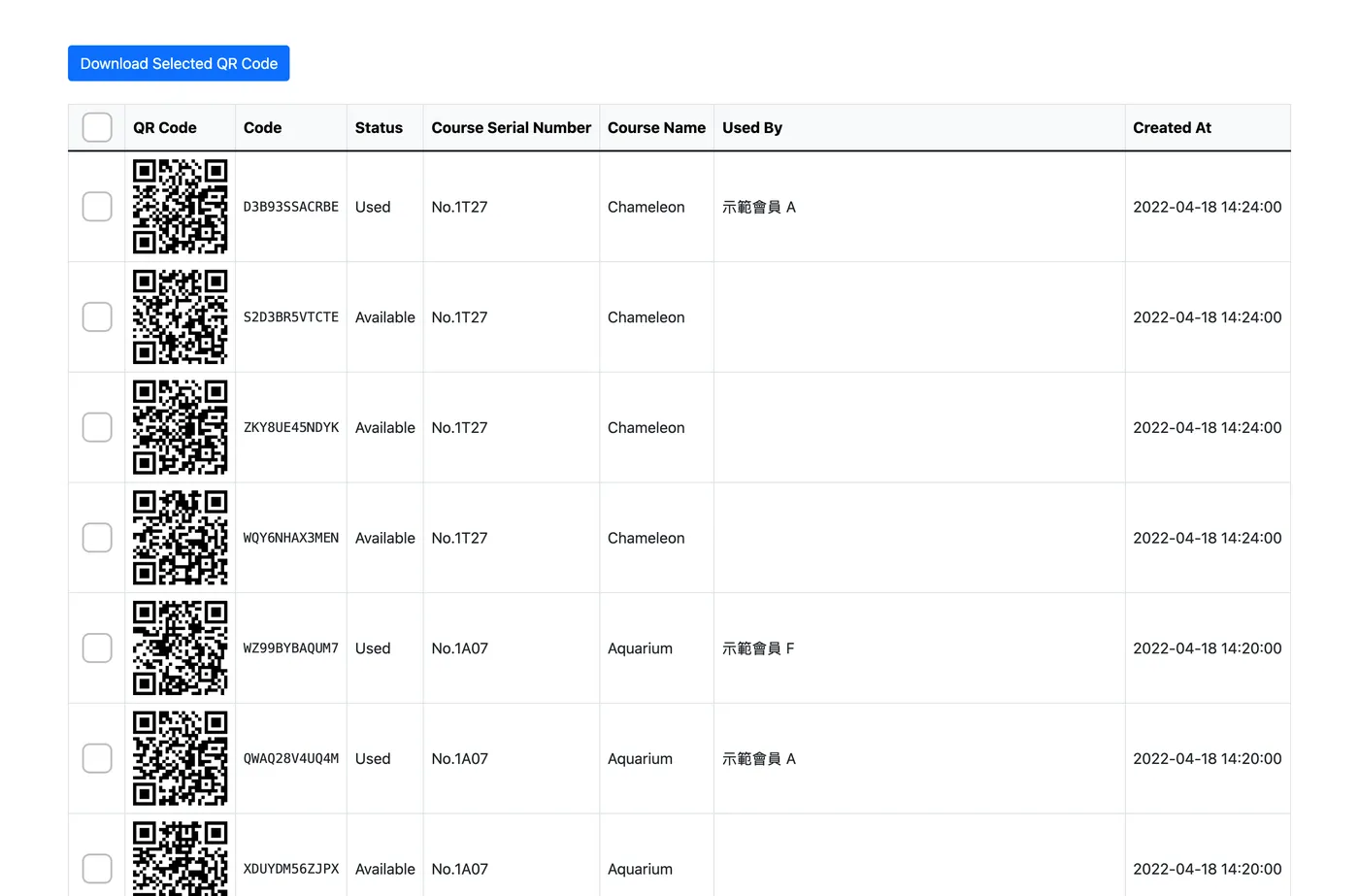 The QR code page (sample data): select the codes you need and download their QR code images in one go.
Courses, orders, coupons and members are managed in the admin panel as well, and the brand publishes new courses on its own.